In the lab last week we solved problems related to loops and comprehensions. Converting a comprehension to a loop expression is not difficult, but during the conversion we have to think as a programmer, which is, to maximize the efficiency of the program.
We certainly have a number of ways to solve the same task. An example is the "stack" and "queue" problem we met in a previous lab. If the data is stored in a "first in, last out" method, while taking out (or storing)each object, all items in the list have to be shifted once to one side. If the "first in ,first out" method is used, then when taking out one object, the others just remain in their original position, thus it requires less computation.
While using a loop or a recursion, we shall reduce the number of iterations. For example:
lst = []
for i in range(1, 4):
for j in range(1, 4):
if (i * j) not in lst:
lst.append(i * j)
return lst
To get the same result we can also have:
lst = []
for i in range(1, 4):
for j in range(i, 4):
lst.append(i * j)
return lst
They return the same result [1, 2, 3, 4, 6, 9], but the latter code takes less number of iterations, thus the latter one is more efficient.
Sunday, 23 February 2014

Sunday, 9 February 2014
Comment on 3-stool Hanoi/Working on A1...
The method to solve the three-stool Hanoi problems taught in class was different from what I had in mind. I know that the process works as a recursion, but what I have in mind is that, when manually solving this game we are actually repeating the moves we make.
For example, if we want to move 6 pieces from the first stool to the
last, we have to repeat twice the actions taken moving 4 pieces in order. So our process in mind is something like this:
prepare to move 1 - move 1
prepare to move 2 - move 1, move 2
prepare to move 3 - move 1, move 2, move 3
...
But the program just didn't work that way. Instead, it is thinking "backwards", figuring out what the last step should be, and deducing backwards. It is actually accurate since when we are deciding to which stool we move the first(smallest) piece, we do consider where we want the last piece to be placed.
The GUI graphics don't look good enough for me. Though we were asked not to make any changes to GUIViewer and GUIController, I made some changes to the width of cheeses and color arrangement.
 I hope we can really get onto learning tkinter soon, so that we can make actual games in the future.
prepare to move 1 - move 1
prepare to move 2 - move 1, move 2
prepare to move 3 - move 1, move 2, move 3
...
But the program just didn't work that way. Instead, it is thinking "backwards", figuring out what the last step should be, and deducing backwards. It is actually accurate since when we are deciding to which stool we move the first(smallest) piece, we do consider where we want the last piece to be placed.
The GUI graphics don't look good enough for me. Though we were asked not to make any changes to GUIViewer and GUIController, I made some changes to the width of cheeses and color arrangement.
Sunday, 2 February 2014
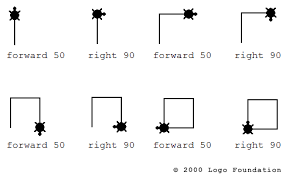
Turtle Graphics remind me of Logo
I remember learning Logo in primary school...
(http://www.annehelmond.nl/2007/11/06/a-discussion-with-alexander-galloway-on-protocol-university-of-amsterdam/)
It was pretty similar to what a python turtle can do. Well, it was a programming language designed for kids, though.
I edited the code so that the turtle draws something else similar like:

(http://www.annehelmond.nl/2007/11/06/a-discussion-with-alexander-galloway-on-protocol-university-of-amsterdam/)
It was pretty similar to what a python turtle can do. Well, it was a programming language designed for kids, though.
I edited the code so that the turtle draws something else similar like:
My code reads as follows:
import turtle
import copy
COLORS = ('red', 'green', 'blue', 'yellow', 'orange')
def tree_burst(level, base, turtle):
"""Draw a symmetrical ternary tree of height level with initial edges
of length base.
"""
if not level: # Pythonese for level == 0
#turtle.forward(base)
pass
else:
turtle_list = []
for h in range(5):
turtle_list.append(turtle.clone())
turtle_list[h].color(COLORS[h])
turtle_list[h].setheading(72 * h)
turtle_list[h].forward(base)
tree_burst(level - 1, base / 2, turtle_list[h])
if __name__ == '__main__':
T = turtle.Turtle()
T.color('red')
T.speed('slow')
# T.hideturtle()
tree_burst(3, 128, T)
I added two more items to the 'color' tuple so that there are five items which last until the index 4 is reached. I also adjusted the angle by which the turtle turns before drawing each section. Playing around with it actually helps understanding how the code actually works.
Subscribe to:
Posts (Atom)